Best Addon for Elementor

Powerful Elementor Widgets for Modern Websites

Impact Widgets is a powerful collection of Elementor Widgets designed to help you build professional WordPress websites faster.
Create stunning websites with advanced Elementor widgets, WooCommerce elements, responsive controls, and flexible design options. Build faster, customize easier, and deliver professional results without writing code.

Elementor Widgets
Elementor Widgets

Why Thousands of Elementor Users ChooseImpact Widgets

20+

Widgets

Lightweight

& Optimized

WooCommerce

Ready

30-

Day Guarantee

Perfect For

Our Elementor Widgets help designers and agencies create engaging layouts without custom coding and Built for freelancers, agencies, developers, and business owners who want to create professional Elementor websites faster.

Freelancers

Build client websites faster.

Agencies

Manage multiple Elementor projects.

Developers

Optimized code and lightweight solutions for speed

Store Owners

Create high-converting WooCommerce stores.

Bloggers

Optimized code and lightweight solutions for speed

Business Websites

Optimized code and lightweight solutions for speed

E-commerce Store

Improve product pages and online stores.

Designers

Optimized code and lightweight solutions for speed

Build BeautifulPagein Minutes

Use modern widget layouts with advanced filtering, custom content, and

powerful styling options – all without coding,

Advanced Query

Display posts, custom post types, or any content with advanced query options.

Multiple layout

Choose from grid, masonry, justified, and metro layouts entortiessly.

Advanced Filtering

Add category filters, custom filters, and A.IAX five filtering for better UX.

Fully Customizable

Control everything with advanced styting and resposive design.

Why ChooseImpact Pro Widgets

Unlike many Elementor Widgets packs, Impact Widgets focuses on performance, flexibility, and ease of use.

50+ Professional Widgets

Everything needed to design modern websites.

Performance Optimized

Load only the assets you need for faster websites.

WooCommerce Ready

Build better online stores with dedicated widgets.

Regular Updates

Stay compatible with the latest Elementor versions.

OurPlans

Choose the perfect plan for your projects and upgrade anytime as your business grows.

Basic

For WordPress.org Users

Get Started win our tree dutis avallable on WordPress.org.

Premium

Best for single plugin users

Get Started win our tree dutis avallable on Advance feature

$45.00/year

Elementor Bundle

Best Value for Elementor Users

besour dementor socons inon powerful bundle and save more

$69.00/year

Part of the Impact family:Trusted by 3000+ users

600+ Reviews

Trusted by 3000+users

FrequentlyAskedQuestion

These Elementor Widgets are optimized for speed, flexibility, and ease of use. Whether you’re building business websites, landing pages, blogs, portfolios, or eCommerce stores, Impact Addons provides the tools you need.

General Questions

Impact Widgets includes both free and premium Elementor widgets. Free widgets are available directly after installation, while premium widgets require an active Impact Addons license.

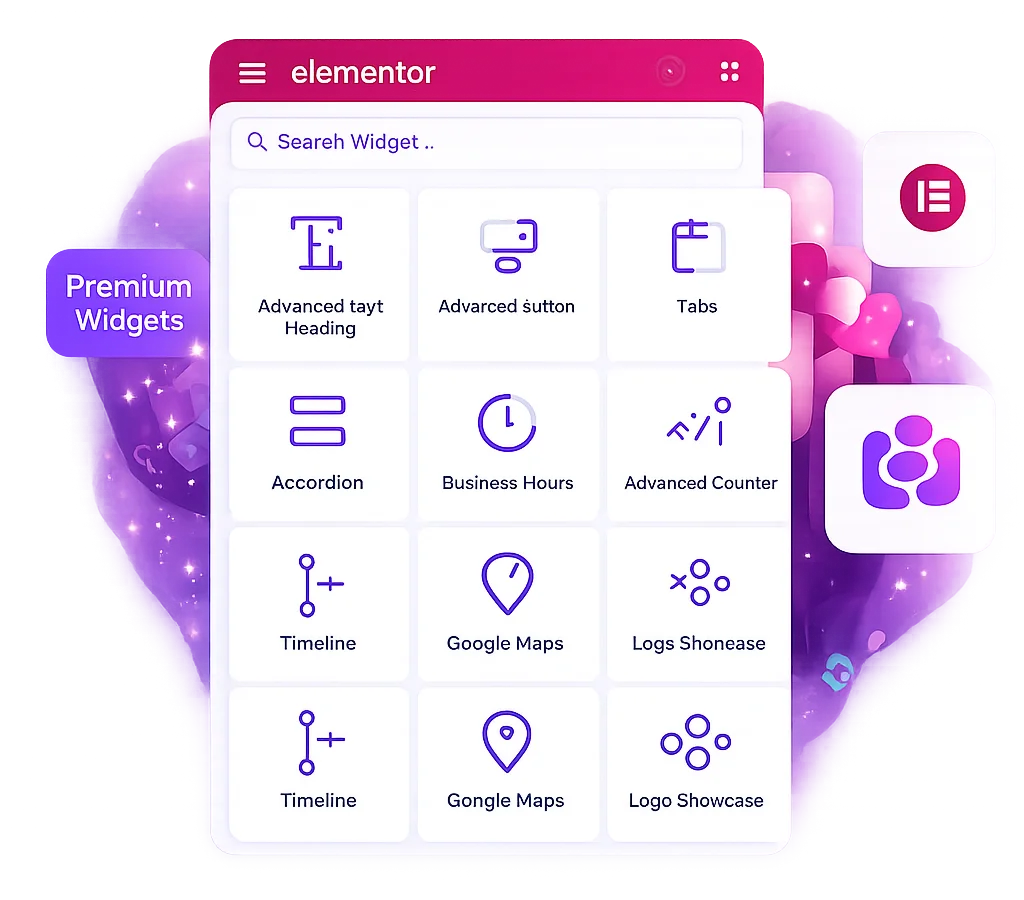
Impact Widgets for Elementor is an Elementor widget pack that adds advanced design widgets for headings, buttons, tabs, accordions, maps, counters, timelines, business hours, logo showcases, call-to-action sections, and other content blocks.
Yes. Impact Widgets is built for Elementor, so Elementor must be installed and active before you can use the widgets inside the Elementor editor.

Yes. The widgets are designed with Elementor controls, so you can add content, choose layouts, update icons, change colors, adjust spacing, and style sections visually without custom code.

Yes. All widgets are built specifically for Elementor and follow Elementor’s development standards. Learn more about Elementor at https://elementor.com/.

After activation, the widgets appear in the Elementor panel under the Impact Widgets category. You can search by widget name, drag the widget into your page, and customize it from the Content, Style, and Advanced tabs.

Yes. Impact Widgets includes a widget manager area where you can control which widgets are available in Elementor . Disabling unused widgets helps keep the editor cleaner for your team.

Impact Widgets works seamlessly with both Elementor Free and Elementor Pro. Elementor Pro users can combine Impact Widgets with advanced features such as Theme Builder, Popups, and WooCommerce Builder for greater design flexibility.

Yes. Usage depends on your selected license plan. Premium licenses allow you to use Impact Widgets on multiple websites based on the plan you purchase. Please check the pricing section for detailed license limits.

Yes. Impact Widgets are designed for WordPress websites and integrate seamlessly with Elementor. Learn more at https://wordpress.org/.

Design And Styling

Yes. Most widgets include controls for typography, text color, background color, padding, margin, border, border radius, alignment, icon size, icon spacing, and hover states.

Yes. The widgets follow Elementor responsive controls, so you can adjust layout, alignment, spacing, sizing, and visibility for desktop, tablet, and mobile views.

Yes. You can use Elementor global colors and typography where available, or set custom styling directly inside each widget.

Yes. You can use the widgets inside Elementor pages, sections, containers, and templates, depending on where Elementor allows widgets on your site.

Widget Questions

Advanced Heading helps you create modern headings with flexible text styling, highlighted words, badges, alignment options, and decorative effects. It is useful for hero titles, section headings, feature blocks, and landing page headlines.

Use Advanced Button when you need a single styled call-to-action button with custom text, link, icon, sizing, alignment, hover styling, and preset design options.

Advanced Button Pro is useful when you want a dual-button layout, such as Buy Now and Learn More, Monthly and Yearly, or Login and Register. It supports left and right button content, links, icons, badge options, image styles, and separate styling for each button.

Yes. You can paste supported iframe or embed URLs such as YouTube, Vimeo, Google Maps, or other allowed external URLs. For best results, use the official share or embed URL from the source platform.

For Google Maps JavaScript API features, you should add a valid Google Maps API key. Without the required key, Google may block or limit map rendering depending on the map type and account settings.

Yes. Button widgets support icon controls, icon position, icon size, spacing, and hover styling so you can create clear visual calls to action.

Iframe Embed lets you place external content inside an Elementor page, such as videos, maps, forms, dashboards, or other embeddable URLs. You can control height, width, border, and responsive display settings.

Yes. You can configure the map location and display settings, then adjust the widget styling and spacing from Elementor controls to fit your page layout.

Advanced Tabs is best for organizing related content into tabbed sections, such as product details, pricing information, service features, specifications, comparison content, or FAQ groups.

Yes. Advanced Tabs supports tab titles, icons, icon position, active tab selection, animation, navigation direction, alignment, and content panel styling.

Performance And Compatibility

Impact Widgets is designed to load widget assets through WordPress and Elementor. For best performance, only use the widgets you need, optimize images, and keep Elementor, your theme, and the plugin updated.

Impact Widgets should work with most well-coded WordPress themes that support Elementor. For the best experience, use an Elementor-friendly theme and keep your site updated.

Yes. You can use the widgets inside Elementor container-based layouts and adjust responsive spacing, alignment, and sizing using Elementor controls.

Impact Widgets can be used in SEO-friendly pages when you write clear content, use proper heading structure, add meaningful link text, optimize images, and avoid hiding important content from users.

Yes. The plugin uses WordPress translation-ready strings, so it can be translated using standard WordPress translation tools and multilingual plugins that support Elementor content.

Ready to Build Better Websites ?

Build modern WordPress websites faster with powerful Elementor Widgets from Impact Addons. Create professional layouts, improve user engagement, and enhance your website design without coding.