Elementor widget pack with advanced design widgets.
Elementor grid widget addon with flexible card layouts and design controls.
WooCommerce template builder for Cart and Checkout with Elementor-powered Impact Pro Templates.
Elementor contact form builder with submission storage and email workflows.
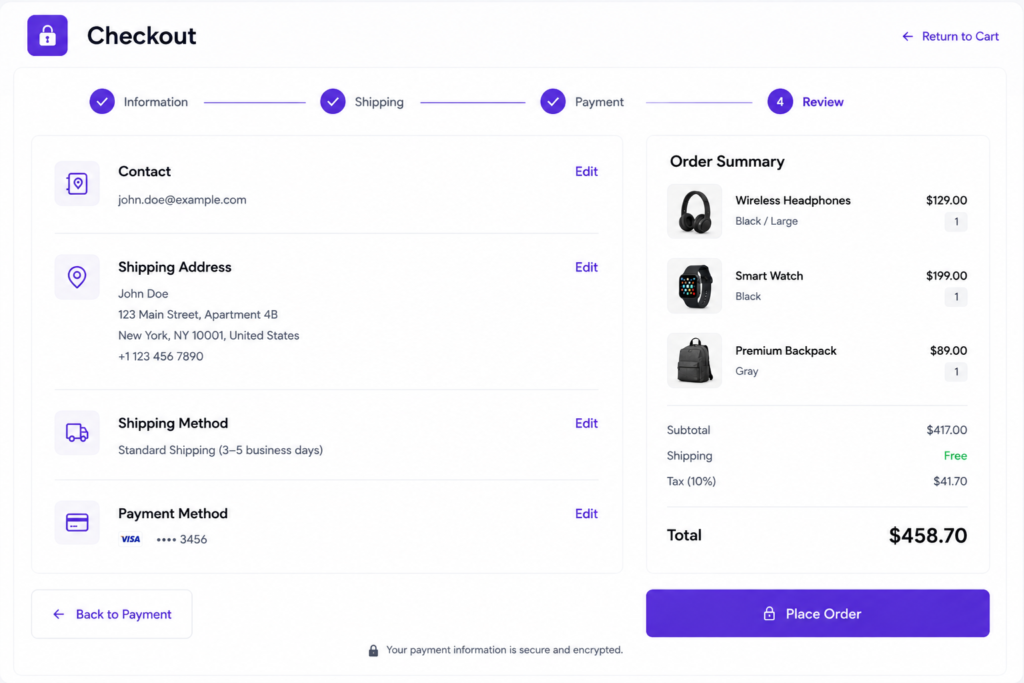
The WooCommerce Cart and Checkout Template helps you create fully customized shopping cart and checkout experiences for your WooCommerce store. Design conversion-focused cart pages, checkout forms, order summaries, and customer-friendly purchase flows using Elementor.
A custom WooCommerce Cart and Checkout Template allows you to improve the shopping experience, reduce cart abandonment, increase conversions, and create a checkout process that matches your brand identity.
Create optimized checkout experiences that encourage customers to complete purchases.
Build distraction-free cart and checkout layouts that improve completion rates.
Customize every part of the cart and checkout process to fit your website design.
Provide a smooth checkout experience across desktop, tablet, and mobile devices.
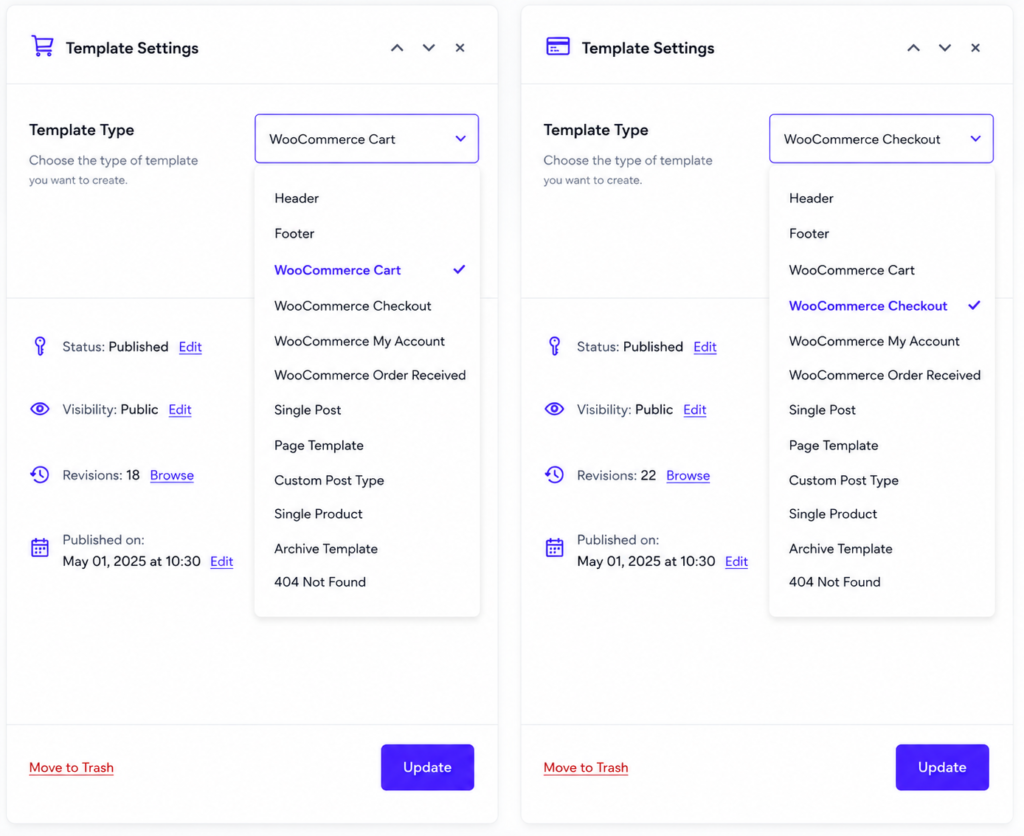
Impact Template Builder supports multiple template types, allowing you to design every important area of your website with Elementor. Create custom headers, footers, WooCommerce pages, blog layouts, product pages, archive templates, and more from one simple template system.
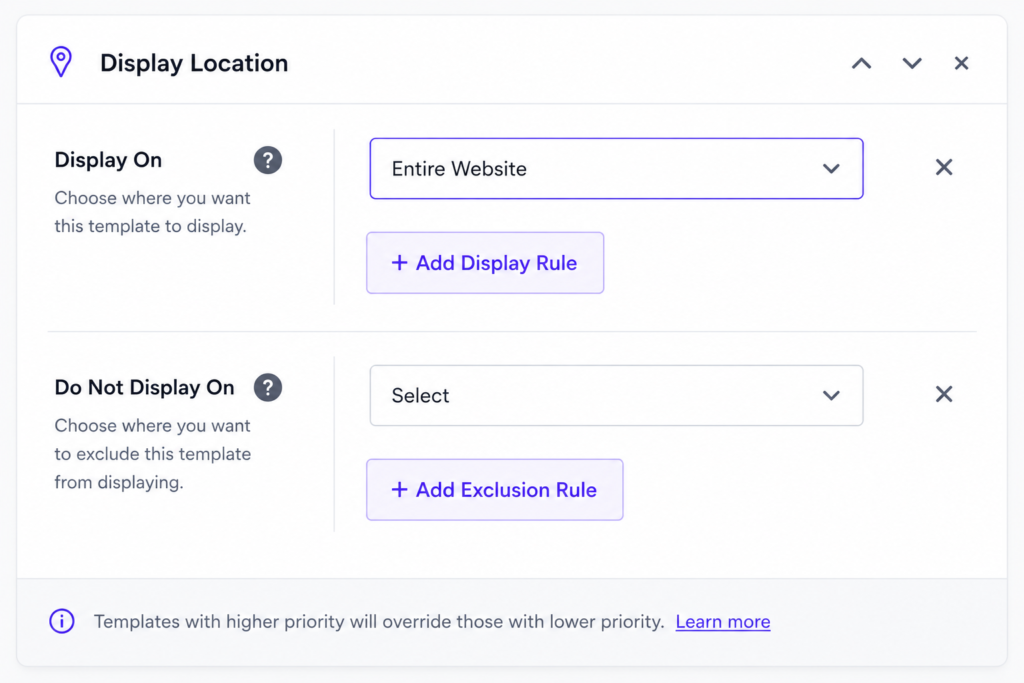
Control exactly where your templates appear across your website. Display Rules let you assign templates to your entire website, selected pages, posts, products, categories, or specific conditions. You can also use exclusion rules to prevent templates from showing in selected locations.
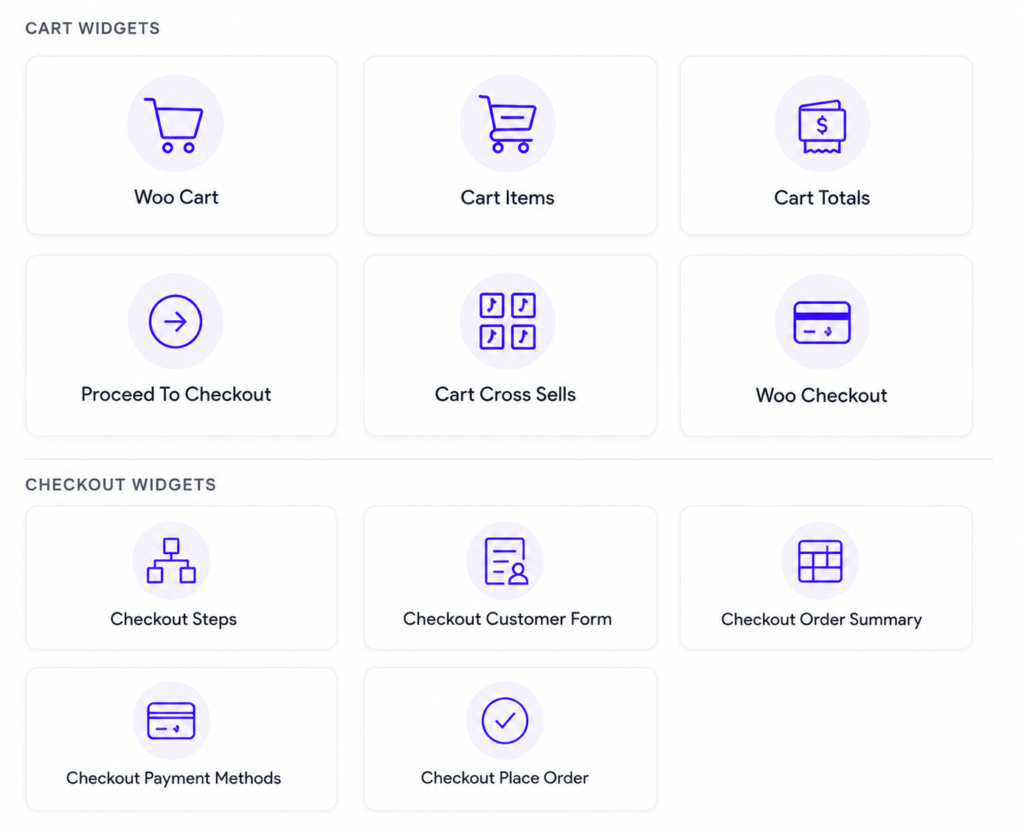
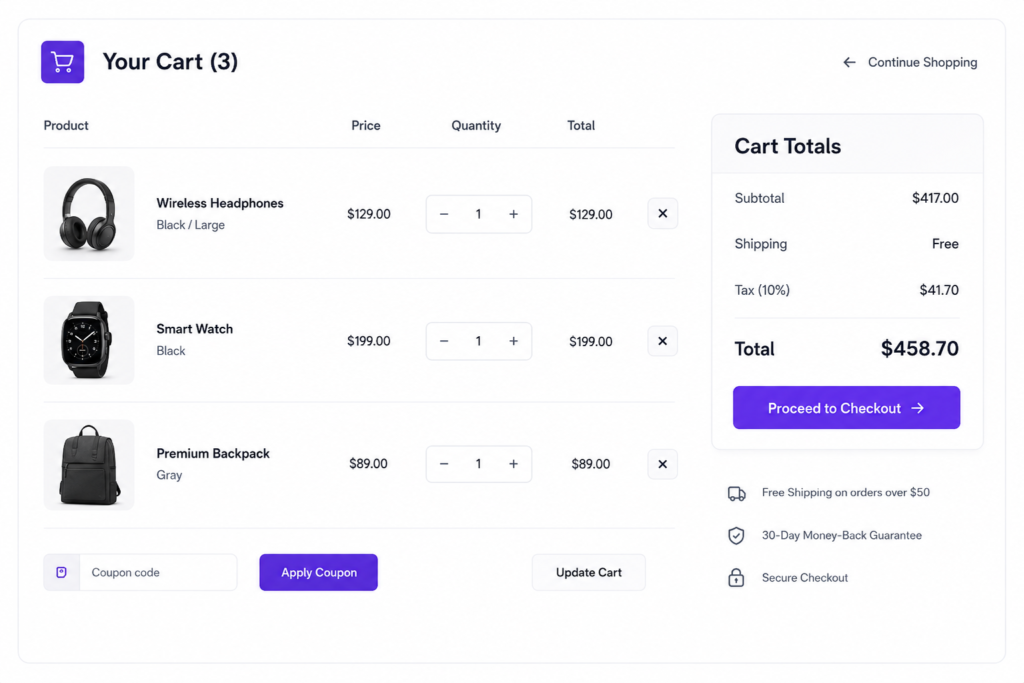
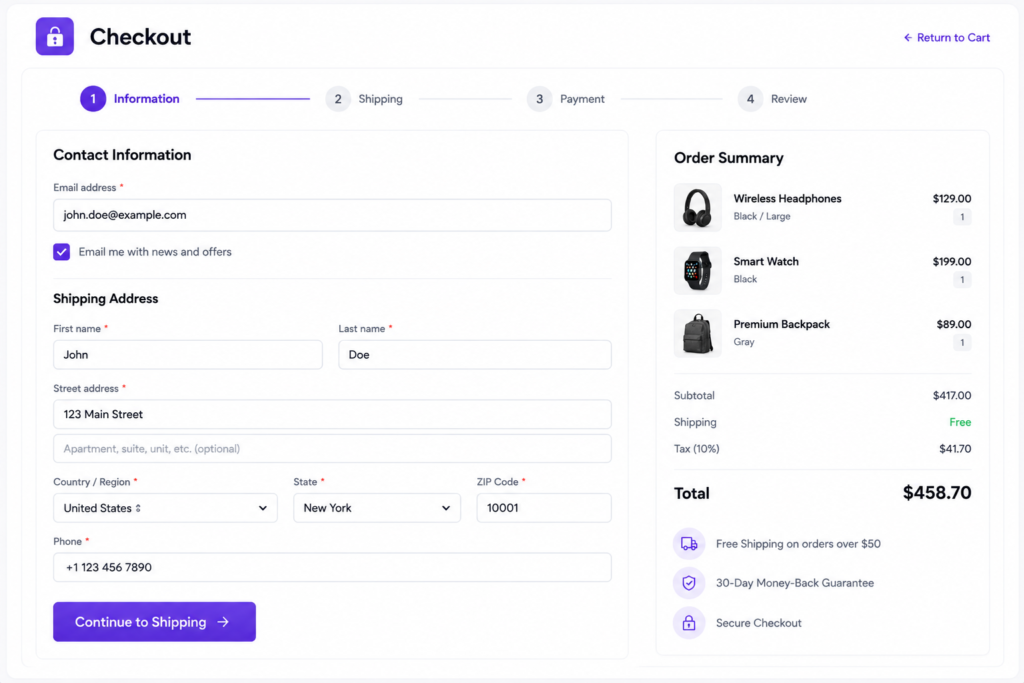
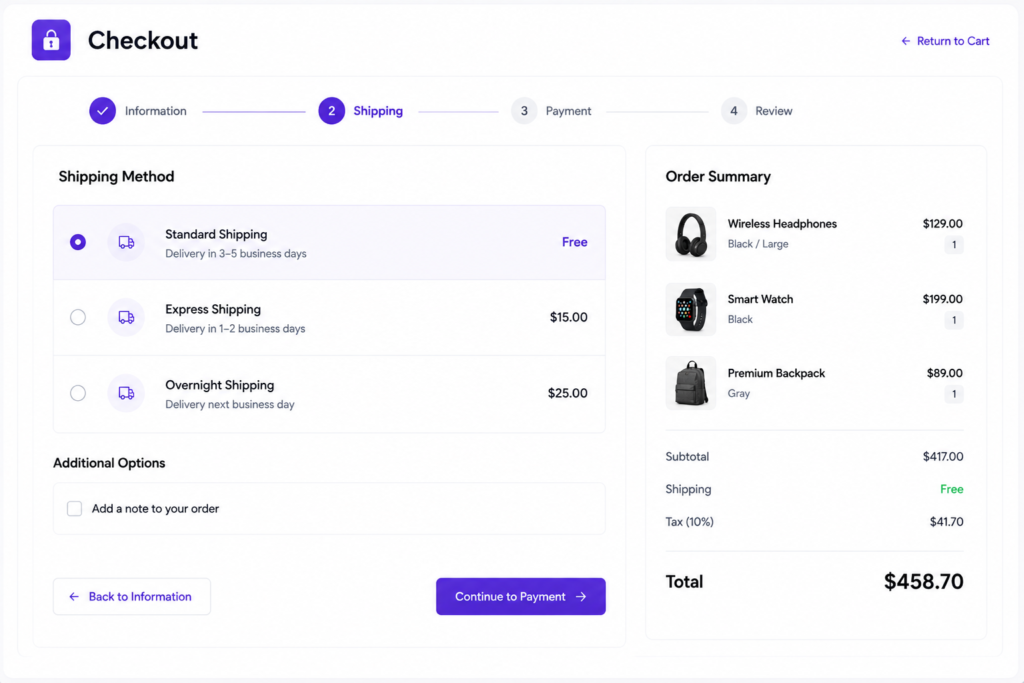
Build fully customized WooCommerce Cart and Checkout experiences with dedicated widgets designed to improve conversions and streamline the customer journey.
Display products added to the cart with images, pricing, quantities, and product details.
Show subtotal, taxes, discounts, shipping costs, and order totals.
Recommend related products to increase average order value before checkout.
Customize billing and shipping forms for a better checkout experience.
Display order details, product information, and pricing before purchase.
Control payment methods, checkout steps, and place-order buttons with complete flexibility.
Explore real examples of the Advanced Tabs widget and see how different layouts can be used on your website.
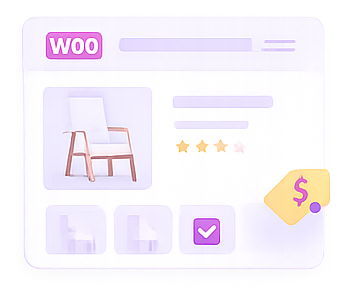
Create high-converting WooCommerce product pages with customizable Add To Cart sections, product information, pricing, ratings, and purchase actions. Deliver a seamless shopping experience that encourages customers to complete their purchases.
Design attractive Add To Cart buttons with custom styles, icons, colors, and layouts that match your brand.
Automatically display product titles, prices, descriptions, ratings, and WooCommerce product data.
Show product variations, attributes, and purchasing options in a clear and user-friendly layout.
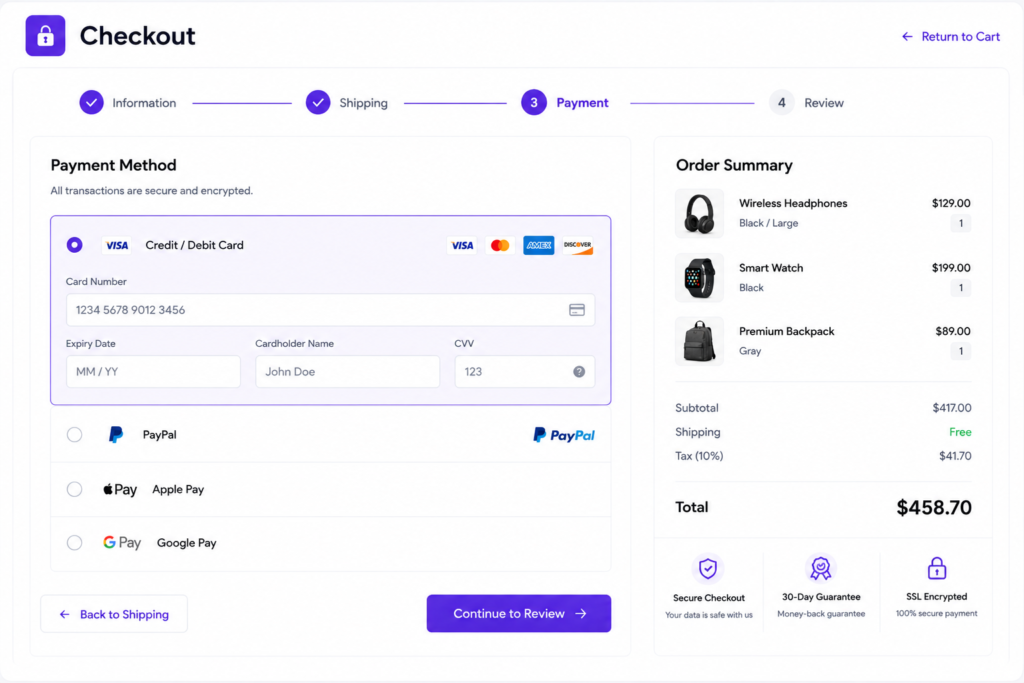
Create a seamless checkout experience with customizable payment methods, secure payment forms, order summaries, and conversion-focused checkout layouts. Design every step of the payment process to reduce cart abandonment and improve customer confidence.
Display credit cards, PayPal, Apple Pay, Google Pay, and other payment gateways with a clean and user-friendly interface.
Build secure checkout forms with custom fields, validation, and optimized payment workflows.
Automatically display products, quantities, taxes, shipping costs, discounts, and order totals.
Increase customer confidence with SSL badges, secure payment notices, and money-back guarantees.
Provide a smooth checkout experience across desktop, tablet, and mobile devices.
Reduce friction and improve checkout completion rates with streamlined payment layouts.
A WooCommerce Cart and Checkout Template allows you to customize the shopping cart and checkout pages of your online store using Elementor. You can design the entire purchase experience to match your brand and improve customer conversions.
No. Cart & Checkout Templates are available in Impact Template Builder Pro.
Yes. The WooCommerce Cart and Checkout Template lets you customize checkout layouts, billing sections, shipping information, order review areas, and payment sections using Elementor’s visual editor without writing code.
Absolutely. You can redesign the cart page layout, update styling, improve product displays, add trust badges, highlight promotions, and create a better shopping experience for your customers.
You can display cart items, product quantities, coupon forms, cart totals, billing details, shipping information, payment methods, order review sections, and checkout buttons using dedicated WooCommerce widgets.
Yes. Add trust badges, guarantees, promotional messages, and custom Elementor content anywhere on the page.
No. WooCommerce checkout and cart functionality remain fully compatible.
Yes. The WooCommerce Cart and Checkout Template is designed to work with standard WooCommerce stores and integrates seamlessly with Elementor for flexible customization.
Yes. Every template created with Impact Template Builder is fully responsive and optimized for desktop, tablet, and mobile devices to ensure a smooth checkout experience on all screen sizes.
Explore more Elementor widgets to build interactive and engaging website sections.
Impact Addons develops powerful Elementor plugins and Shopify solutions that help freelancers, agencies, developers, and businesses build better websites faster.
Not satisfied? Get a full refund within 30 days
100% secure payments and data protection.
Get quick help from our friendly support team.
We release updates and new features regularly.
Copyright © 2026 Impactaddons. All Rights Reserved.
Unlock premium layouts and advanced grid features
Get impact elementor bundle and save up to 40%
Unlock premium layouts and advanced widgets
Get impact elementor bundle and save up to 40%
Unlock premium layouts and advanced grid features
Get impact elementor bundle and save up to 40%
Please fill out the form below and we will get back to you as soon as possible