• Impact Forms
  • Pricing

Best Addon for Elementor

Advanced Elementor Template Builder

Impact Template Builder is an Elementor Template Builder for WooCommerce and custom website layouts.

Design custom headers, footers, single post templates, WooCommerce pages, archive layouts, and dynamic website sections visually with Elementor. Build complete website templates without coding.

Advanced Elementor Template Builder

Build CompleteWebsite Templatesin Minutes

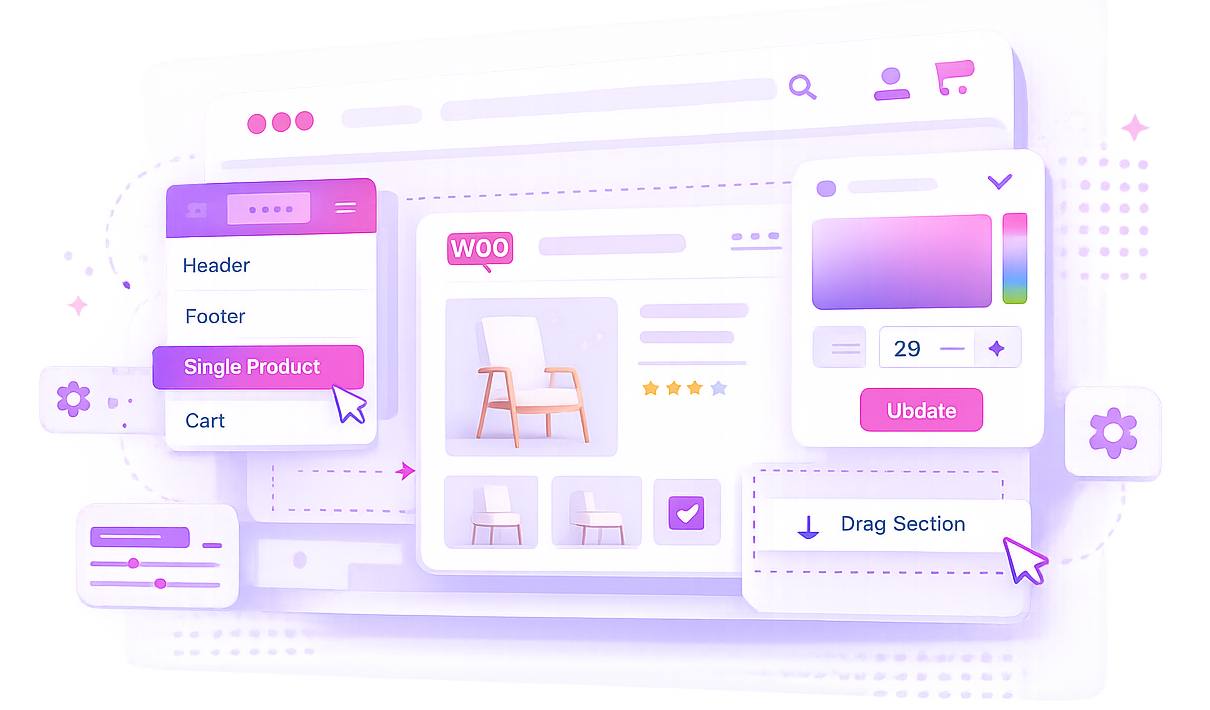
This Elementor Template Builder lets you create headers, footers, archives, and WooCommerce templates.

Header & Footer Builder

Create custom headers and footers for any part of your website.

WooCommerce Templates

Design product pages, cart pages, checkout pages, and account pages visually.

Dynamic Content

Display dynamic post data, custom fields, and WooCommerce information.

Display Conditions

Control where templates appear using flexible display rules.

Impact Template Demo

Create custom WooCommerce pages, headers, footers, blog templates, and dynamic layouts with Elementor.

Why ChooseImpact Template Builder?

The Elementor Template Builder provides complete control over your website design.

Complete Website Builder

Design every website section visually.

WooCommerce Ready

Build custom store pages without coding.

Dynamic Content Support

Display post data, custom fields, and WooCommerce information.

Flexible Display Rules

Control where templates appear across your website.

OurPlans

Choose the perfect plan for your projects and upgrade anytime as your business grows.

Basic

For WordPress.org Users

Get Started win our tree dutis avallable on WordPress.org.

Premium

Best for single plugin users

Get Started win our tree dutis avallable on Advance feature

$45.00/year

Elementor Bundle

Best Value for Elementor Users

besour dementor socons inon powerful bundle and save more

$69.00/year

FrequentlyAskedQuestion

An Elementor Template Builder allows you to create custom website templates visually using Elementor. You can design headers, footers, archive pages, single posts, and other layouts without writing code.

No. The Elementor Template Builder provides a visual drag-and-drop experience, allowing beginners and professionals to create custom templates without coding knowledge.

Yes. The plugin uses Works seamlessly with Elementor and WordPress websites. for designing and rendering templates, so Elementor must be active on your WordPress site.

Yes. Our Elementor Template Builder helps you design WooCommerce templates such as Single Product, Cart, Checkout, My Account, and Shop pages using Elementor’s drag-and-drop interface.

WooCommerce is required for Cart, Checkout, Order Received, Single Product, and product widgets. Header, footer, and single post template features can still be used without WooCommerce.

You can create Header, Footer, WooCommerce Cart, WooCommerce Checkout, WooCommerce My Account, WooCommerce Order Received, Single Post, and Single Product templates.

Yes. The Elementor Template Builder is designed to work seamlessly with Elementor and Elementor Pro, giving you complete control over your website and WooCommerce layouts.

Yes. Header and Footer templates support Display On and Do Not Display On rules. You can target the entire website, post types, specific posts or pages, and URL paths such as /product or /product/*.

Yes. With the Elementor Template Builder, you can design custom Single Post, Archive, Category, Author, and Search Result templates to match your website design.

Yes. The plugin includes dedicated Cart and Checkout widgets, including cart items, cart totals, checkout steps, customer form, order summary, payment methods, and place order controls.

Yes. The Order Received template type lets you build a custom Thank You page with widgets for order notice, order overview, order details, customer details, license keys, and additional content.

Yes. Single Product templates can replace WooCommerce product detail pages and include widgets for product title, images, price, rating, short description, description, meta, add to cart, related products, and custom product meta.

Yes. Post Custom Meta and Product Custom Meta widgets can render meta keys as text, date, image, URL, email, number, or boolean values, with fallback text for empty fields.

No. Impact Pro Template Builder widgets are shown only when editing Impact Pro Template posts, so normal Works seamlessly with Elementor and WordPress websites. pages stay clean and focused.

Yes. Create custom archive layouts for blogs, categories, tags, and custom post types using Elementor.

Yes. The Elementor Template Builder supports display conditions, allowing you to assign templates to specific pages, post types, categories, products, or other areas of your website.