Impact Addons
Build Fast. Impact Bigger

- Products
-
-
Elementor
Impact WidgetsElementor widget pack with advanced design widgets.
Impact Grid AddonElementor grid widget addon with flexible card layouts and design controls.
Impact Template BuilderWooCommerce template builder for Cart and Checkout with Elementor-powered Impact Pro Templates.
Impact FormsElementor contact form builder with submission storage and email workflows.
-
-
- Widgets
-
-

Impact Widgets
Impact Grid Addon
-
-
- Templates
-
-

Impact Template Builder
-
-
- Impact Forms
- Pricing
- Resources
- Support
Best Addon for Elementor
Site Tagline Widget for Elementor
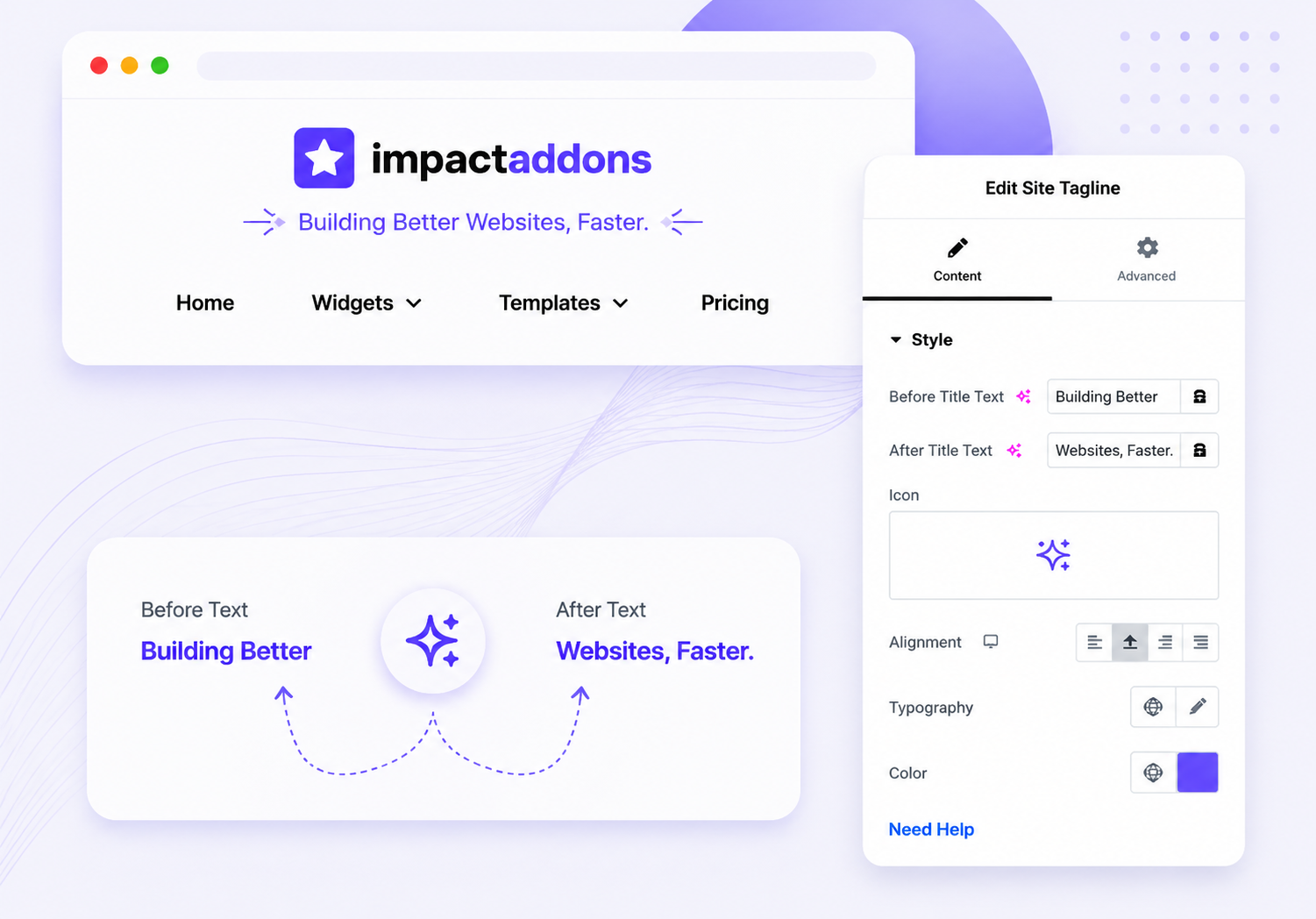
Display your WordPress site tagline anywhere in your Elementor layouts using the Site Tagline widget. Automatically pull your website tagline and customize its typography, color, alignment, HTML tag, spacing, and responsive appearance to create consistent branding across headers, footers, landing pages, and custom templates.
Why UseSite Tagline ?
The Site Tagline widget makes it easy to dynamically display your website’s tagline throughout your Elementor designs. Instead of manually entering and updating the same text across multiple templates, use your WordPress site tagline dynamically and style it to perfectly match your website branding.
Dynamic Site Tagline
Automatically display the tagline configured in your WordPress website settings.
Update from One Place
Change your WordPress tagline once and dynamically reflect it wherever the widget is used.
SEO-Friendly Structure
Choose the appropriate HTML tag to maintain a clean and structured page hierarchy.
No Coding Required
Add and customize your dynamic site tagline visually inside Elementor.
What Can You Display?
Display Your Brand Message Anywhere
Use your dynamic site tagline across different areas of your Elementor website to communicate your brand message consistently.

Business Website
Automatically display your global WordPress logo.
Creative Agency
Upload unique logos for individual templates or pages.


eCommerce Store
Automatically display your global WordPress logo.
Personal Portfolio
Upload unique logos for individual templates or pages.

Display your dynamic WordPress sitetagline across Headers, Footers, Hero Sections, Landing Pages,Custom Templates, and Branding Sections.
PERFECT FOR
Perfect for Consistent Website Branding
The Site Tagline widget is ideal for any Elementor website that needs consistent and dynamic brand messaging across multiple pages and templates.
Business Websites
Communicate your company's core message throughout your website.
Agency Websites
Display a memorable tagline alongside your agency branding.
Personal Brands
Highlight your expertise, mission, or personal brand message.
Blogs & Magazines
Display your publication's tagline within headers and branding sections.
WooCommerce Stores
Reinforce your store's value proposition alongside your brand logo.
Portfolio Websites
Introduce your professional identity with a concise brand statement.
Perfect forBusiness Websites, Agencies, Personal Brands, Blogs, WooCommerce Stores, Portfolios,and every Elementor-powered website.
Key Features
The Site Tagline widget gives you a simple and flexible way to dynamically display your WordPress tagline inside Elementor. Customize its appearance and responsive behavior while keeping your brand messaging synchronized across your entire website.
Dynamic WordPress Tagline
Automatic Content Updates
HTML Tag Selection
Flexible Alignment
Responsive Controls
Flexible Placement
Lightweight Performance
Seamless Elementor Integration
FrequentlyAsked Questions
What is the Site Tagline widget?
The Site Tagline widget dynamically displays the tagline configured for your WordPress website inside an Elementor layout.
Where does the widget get the site tagline?
The widget uses the tagline configured in your WordPress website settings, allowing you to manage your brand message from a central location.
Will the tagline update automatically?
Yes. When dynamic site data is used, changing your WordPress tagline updates the content wherever the Site Tagline widget is used.
Can I customize the tagline design?
Yes. You can customize typography, colors, alignment, spacing, and other styling options available in the widget.
Can I use the Site Tagline in a custom header?
Yes. It is ideal for custom Elementor headers and can be combined with the Site Logo and Navigation Menu widgets.
Can I display the tagline in the footer?
Yes. You can place the widget in headers, footers, hero sections, landing pages, or other Elementor layouts.
Is the Site Tagline responsive?
Yes. You can optimize its styling and alignment for desktop, tablet, and mobile layouts.
Do I need coding knowledge?
No. The Site Tagline widget can be added and customized visually using Elementor.
Ready to Strengthen Your Website Branding?
Display your WordPress site tagline dynamically anywhere in Elementor and keep your brand message consistent across your entire website. Customize typography, colors, alignment, spacing, and responsive settings without writing code.
Related Widgets
Explore more Impact Widgets for Elementor, including Site Logo, Retina Logo, Page Title, Navigation Menu, Copyright, and Breadcrumb, to create complete and consistent branding and navigation experiences across your website.
Related Blogs and Articles
Explore practical Elementor tutorials and guides to learn how to build custom headers and footers, improve website branding, create responsive layouts, and use dynamic WordPress content effectively.
Impact Addons develops powerful Elementor plugins and Shopify solutions that help freelancers, agencies, developers, and businesses build better websites faster.
Follow Us
PRODUCTS
WIDGET LIBRARY
RESOURCES
SUPPORT
30-Day Money Back
Not satisfied? Get a full refund within 30 days
Secure & Reliable
100% secure payments and data protection.
Fast Support
Get quick help from our friendly support team.
Regular Updates
We release updates and new features regularly.
Copyright © 2026 Impactaddons. All Rights Reserved.
Impact Addons is proudly powered by WordPress