Impact Addons
Build Fast. Impact Bigger

- Products
-
-
Elementor
Impact WidgetsElementor widget pack with advanced design widgets.
Impact Grid AddonElementor grid widget addon with flexible card layouts and design controls.
Impact Template BuilderWooCommerce template builder for Cart and Checkout with Elementor-powered Impact Pro Templates.
Impact FormsElementor contact form builder with submission storage and email workflows.
-
-
- Widgets
-
-

Impact Widgets
Impact Grid Addon
-
-
- Templates
-
-

Impact Template Builder
-
-
- Impact Forms
- Pricing
- Resources
- Support
Best Addon for Elementor
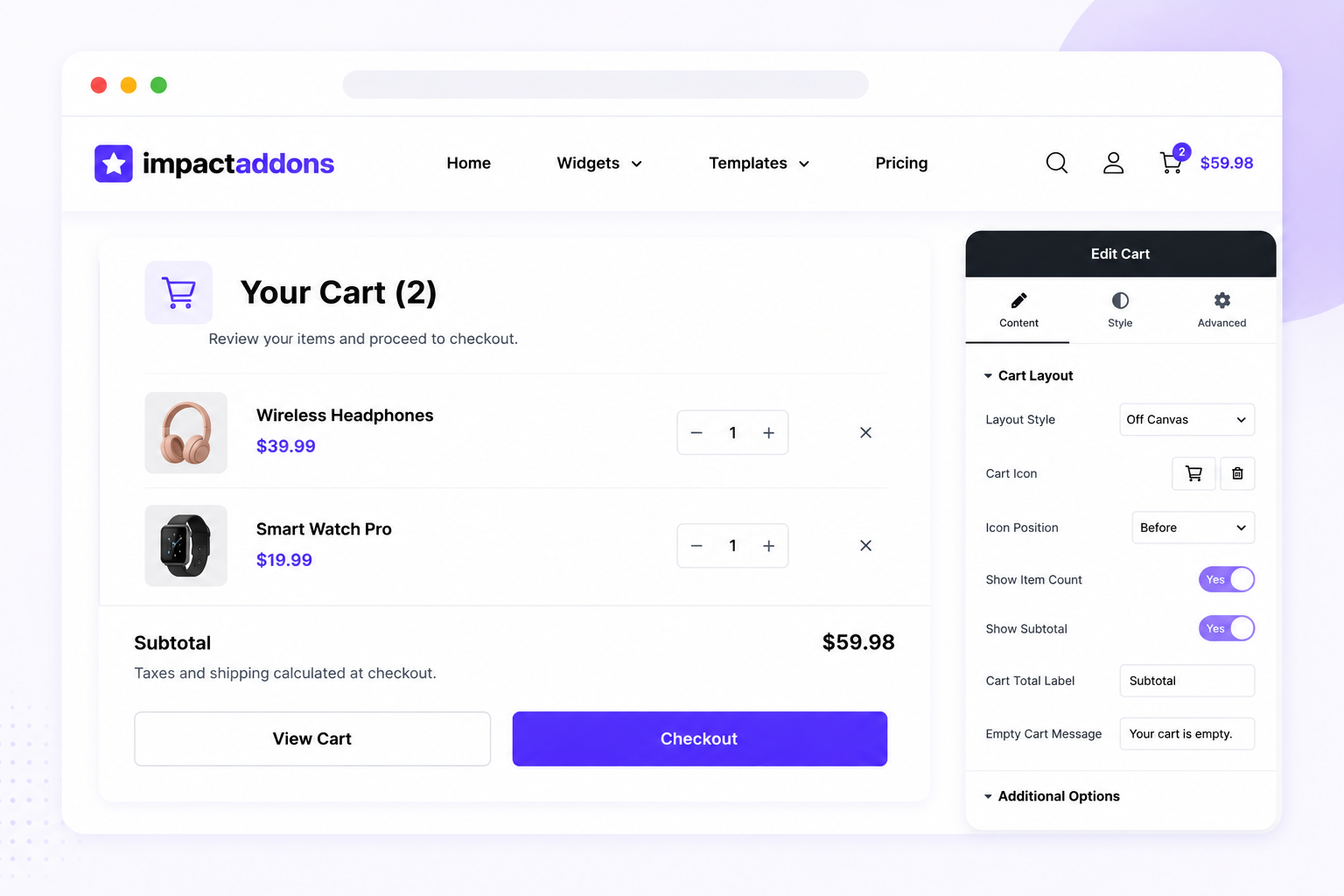
WooCommerce Cart for Elementor
Create and customize your WooCommerce cart directly inside Elementor. Display cart products, quantities, prices, coupons, shipping information, cart totals, and checkout actions in a clean, professional layout that matches your store branding and provides a seamless shopping experience.
Why UseCart?
The Cart widget gives you greater design control over one of the most important stages of the WooCommerce buying journey. Build a professional, user-friendly cart experience that makes it easy for customers to review products, update quantities, apply coupons, check totals, and continue to checkout. WooCommerce cart interfaces commonly include order summaries, coupons, totals, shipping controls, and checkout actions.
Complete Cart Overview
Let customers clearly review all products added to their shopping cart.
Easy Quantity Updates
Allow shoppers to adjust product quantities and manage their orders.
Streamlined Checkout Journey
Guide customers smoothly from their cart to the checkout page.
Coupon Code Support
Provide an easy way for customers to apply available discount codes.
What Can You Display?
Build a Complete WooCommerce Cart Experience
Display all essential shopping cart information in a clear and organized layout, helping customers review their orders and proceed confidently to checkout.
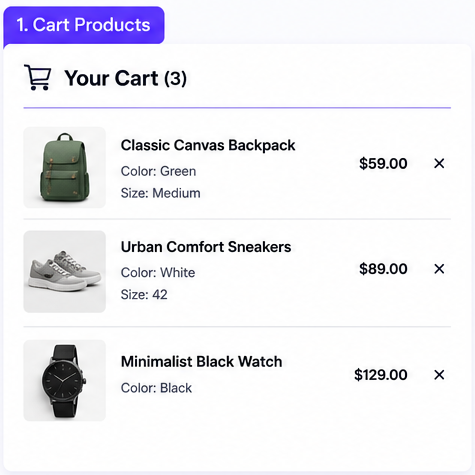
Cart Products
Display product images, names, variations, and other important product information.
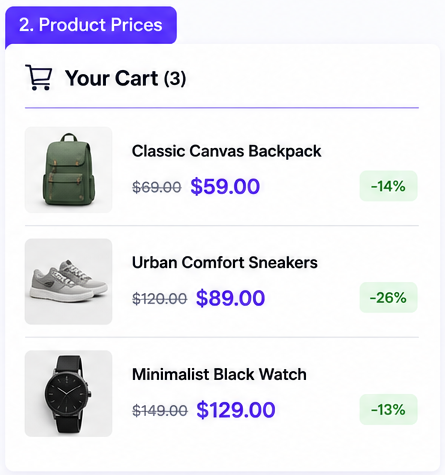
Product Prices
Clearly show individual product prices within the cart.
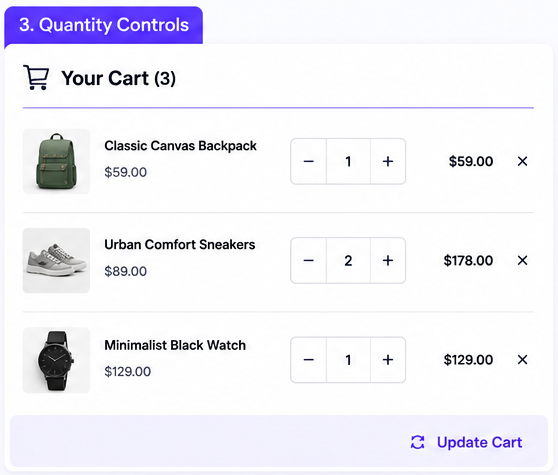
Quantity Controls
Allow customers to modify the quantity of products before checkout.
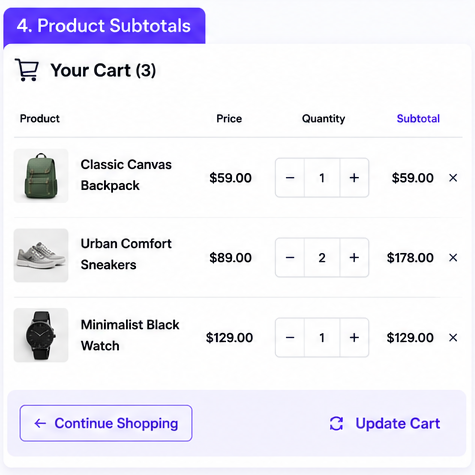
Product Subtotals
Display the calculated subtotal for each cart item.
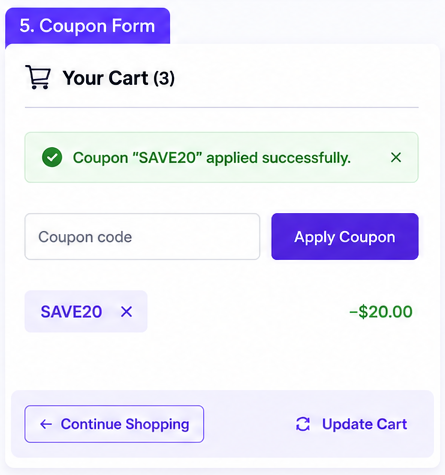
Coupon Form
Let customers enter and apply promotional coupon codes.
Cart Totals
Show subtotal, discounts, shipping, taxes, and the final order total.
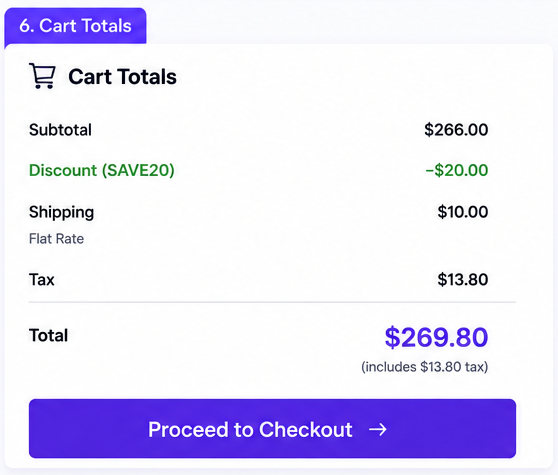
Build a complete shopping cart withProducts, Prices, Quantities, Coupons, Shipping, Cart Totals,and Checkout Actions.
PERFECT FOR
Perfect for Every WooCommerce Store
Whether you sell physical products, digital downloads, fashion, electronics, subscriptions, or other products, the Cart widget helps you create a clear and professional shopping experience before checkout.
Fashion & Apparel Stores
Let customers review sizes, colors, quantities, and products before purchasing.
Electronics Stores
Display product details and pricing in a structured cart layout.
Digital Product Stores
Create a streamlined cart experience for software and downloadable products.
Beauty & Lifestyle Stores
Build an attractive cart experience that complements your store branding.
B2B & Wholesale Stores
Make it easier for customers to review larger product orders and quantities.
General WooCommerce Stores
Create a professional cart experience for virtually any online store.
Perfect forFashion, Electronics, Digital Products, Beauty, B2B, Wholesale, andother WooCommerce stores.
Key Features
The Cart widget gives you the tools to create a professional and conversion-friendly WooCommerce cart page directly inside Elementor. Customize important cart sections and styling to deliver a clear, responsive shopping experience that fits your store design.
Dynamic Cart Products
Quantity Management
Remove Cart Items
Cart Totals Summary
Proceed to Checkout
Customizable Cart Layout
Complete Styling Control
Elementor Integration
FrequentlyAsked Questions
What is the Cart widget?
The Cart widget allows you to display and customize the WooCommerce shopping cart experience within an Elementor layout.
What information can I display in the cart?
You can display cart products, prices, quantities, product subtotals, coupons, shipping information, cart totals, and checkout actions.
Can customers update product quantities?
Yes. Customers can manage product quantities before proceeding to checkout.
Does the Cart widget support coupon codes?
Yes. A cart interface can include a coupon form for customers to apply eligible discount codes.
Can I customize the cart design?
Yes. You can customize available layout and styling options to create a cart that matches your WooCommerce store branding.
Is the Cart widget responsive?
Yes. The cart can be designed to provide a user-friendly shopping experience across desktop, tablet, and mobile devices.
Do I need WooCommerce?
Yes. WooCommerce must be installed and configured because cart functionality depends on WooCommerce.
Do I need coding knowledge?
No. The widget is designed to let you build and customize your cart visually within Elementor.
Ready to Build a Better Shopping Cart?
Create a professional WooCommerce cart that makes it easy for customers to review products, update quantities, apply coupons, understand order totals, and move smoothly toward checkout—all with a design that matches your online store.
Related Widgets
Explore more Impact Widgets for Elementor to build a complete WooCommerce shopping experience, including product, checkout, account, and other eCommerce-focused widgets designed for flexible Elementor layouts.
Related Blogs and Articles
Explore practical WooCommerce and Elementor tutorials covering custom cart pages, checkout optimization, product templates, responsive store design, and strategies for creating a smoother online shopping experience.
Impact Addons develops powerful Elementor plugins and Shopify solutions that help freelancers, agencies, developers, and businesses build better websites faster.
Follow Us
PRODUCTS
WIDGET LIBRARY
RESOURCES
SUPPORT
30-Day Money Back
Not satisfied? Get a full refund within 30 days
Secure & Reliable
100% secure payments and data protection.
Fast Support
Get quick help from our friendly support team.
Regular Updates
We release updates and new features regularly.
Copyright © 2026 Impactaddons. All Rights Reserved.
Impact Addons is proudly powered by WordPress