Best Addon for Elementor
Elementor Advanced Pro Button Widget
The Elementor Advanced Pro Button Widget helps you create professional call-to-action buttons with advanced styling, hover effects, icons, animations, gradients, and conversion-focused design options for Elementor websites.
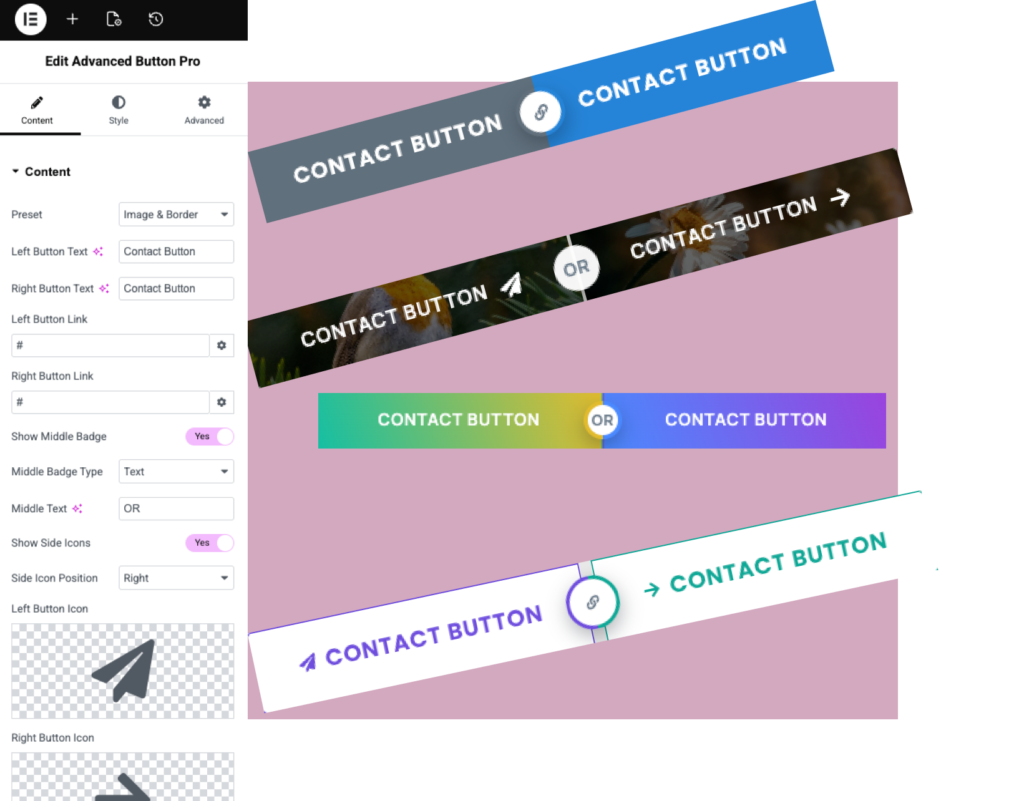
The Elementor Advanced Pro Button Widget gives you complete control over button design and functionality. Create eye-catching call-to-action buttons that improve engagement, increase conversions, and match your website branding.
DualButton layout
Image and border layout
Button gradient layout
Border and hover layout
What is the Elementor Advanced Pro Button Widget?
The Elementor Advanced Pro Button Widget allows you to create highly customizable buttons with advanced styling options, icons, hover effects, gradients, animations, and flexible design controls.
Does Advanced Pro Button work with Elementor Free?
No. Advanced Pro Button is available exclusively in Impact Widgets Pro.
What is the difference between Advanced Button and Advanced Pro Button?
Advanced Button provides essential button styles, while Advanced Pro Button includes advanced layouts such as ribbon buttons, badge buttons, promotional buttons, download buttons, and enhanced styling controls.
Do I need Elementor Pro to use Advanced Pro Button?
Can I create ribbon and badge buttons?
es. Create promotional buttons with ribbons, badges, labels, and special offer highlights.
Can I add icons to the Elementor Advanced Pro Button Widget?
Yes. The Elementor Advanced Pro Button Widget supports icons before or after button text, helping create more engaging and visually appealing call-to-action buttons.
Is the Elementor Advanced Pro Button Widget mobile responsive?
Yes. The Elementor Advanced Pro Button Widget is fully responsive and allows you to customize button styles for desktop, tablet, and mobile devices.
Can I customize hover effects and animations?
Yes. Customize hover colors, backgrounds, borders, shadows, transitions, and interactive effects.
Will Advanced Pro Button affect website performance?
No. The widget is optimized for fast loading and smooth performance.
Where can I use the Elementor Advanced Pro Button Widget?
You can use the Elementor Advanced Pro Button Widget on landing pages, pricing sections, service pages, product pages, contact sections, and anywhere you want visitors to take action.